Squarespace.com website
You can add the Intelibly Book Now Button to your Squarespace website using custom code injection. This method allows you to embed the widget directly into your Squarespace site. The social media link can still be used to guide patients to the ScheduleCONNECT page in the event this method isn't an option for you.
Installation Steps
-
Login to Squarespace
- Go to Squarespace and login to your account
-
Access your website
- From the dashboard, click 'Go To Website' to navigate to your site
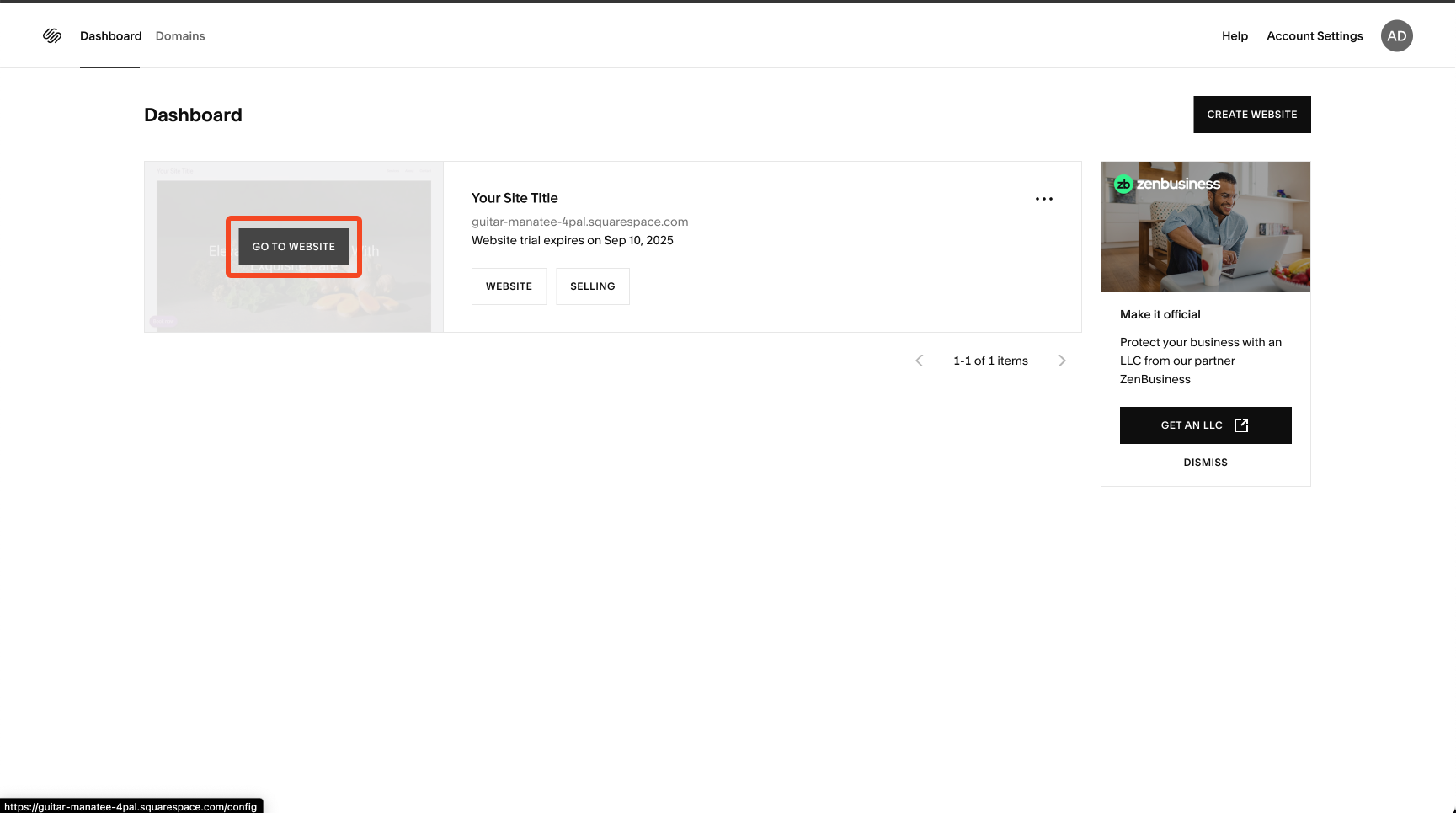
-
Navigate to Pages
- Select 'Pages' from the navigation menu under 'Website'
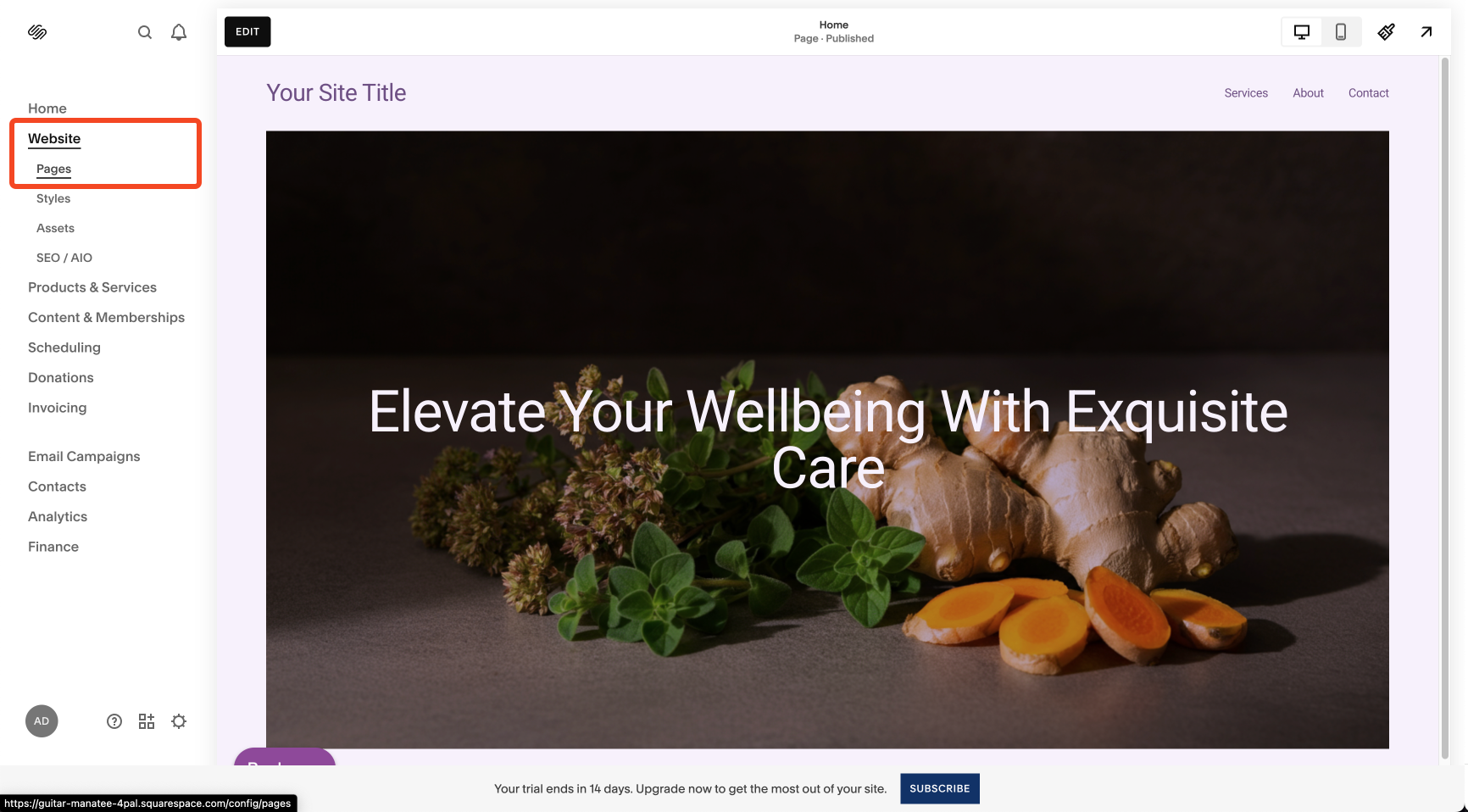
-
Access Code Injection
- In the Pages section, look for 'Code Injection' under the 'Custom Code' section
- Click on 'Code Injection' to open the code editor
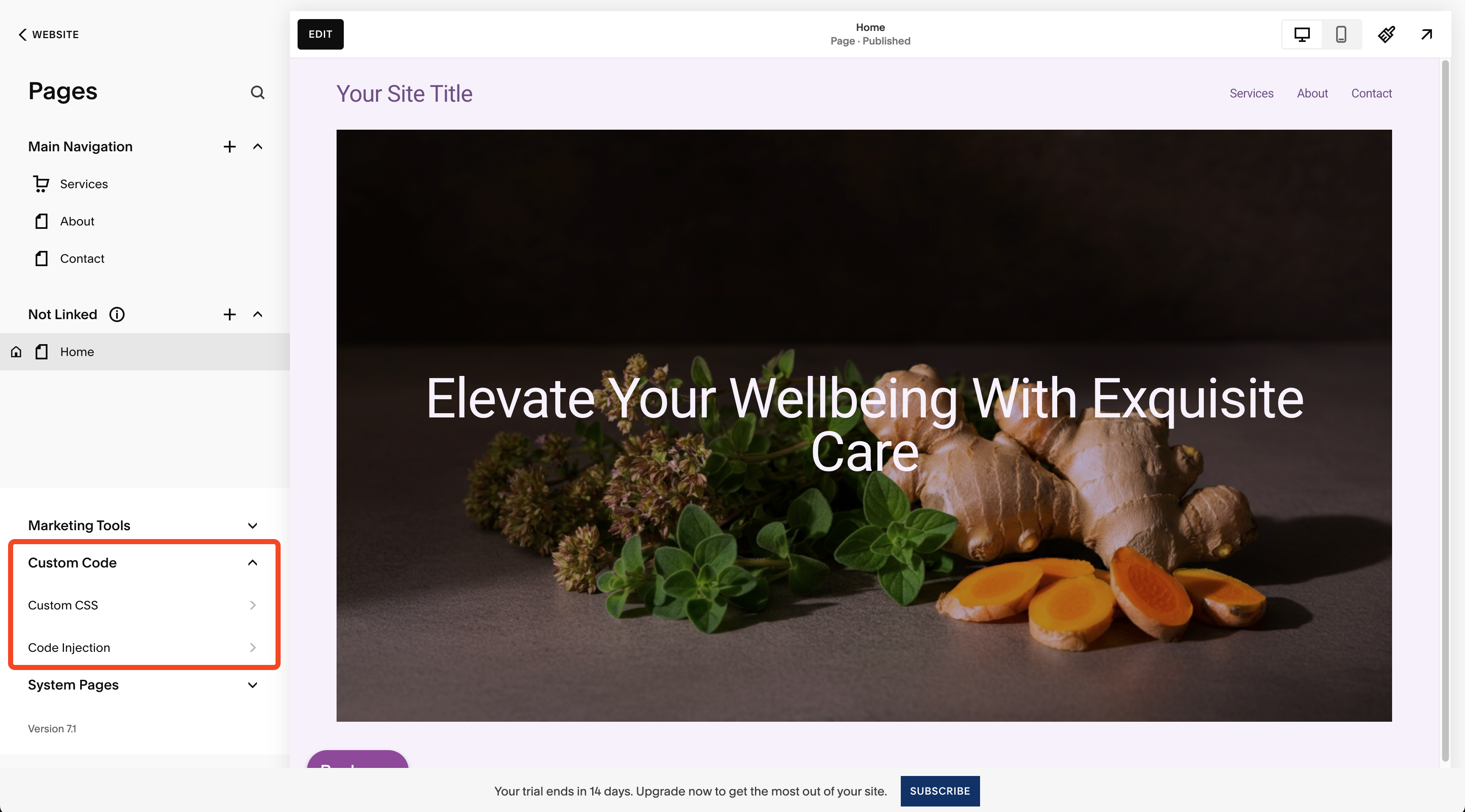
-
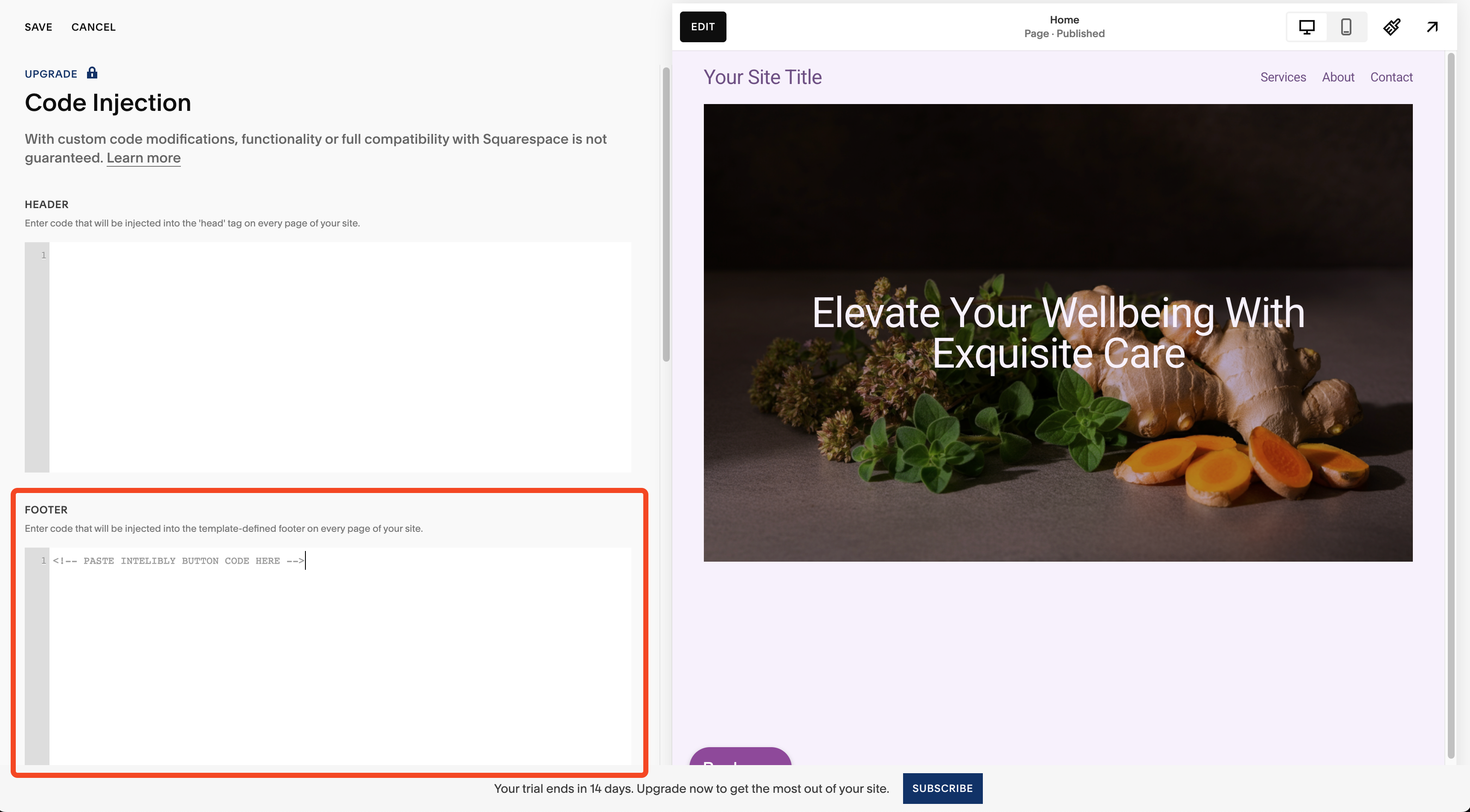
Add the widget code
- Paste your Intelibly Book Now Button code into the Footer section
- Click 'Save' to apply the changes
Intelibly Support: We can help you with the Intelibly Book Now Button setup and configuration. Contact us at support@intelibly.com for assistance with our widget.
Squarespace Support: Squarespace does not guarantee compatibility with custom code. If you experience issues with the custom code implementation, please contact Squarespace support directly, as Intelibly cannot provide support for Squarespace platform-specific issues.